Premium
Skillshare Premium Account Cookies

Skillshare is an online learning community offering thousands of classes in design, business, tech, photography, video, lifestyle, productivity, and more. Unlike traditional education platforms, Skillshare emphasizes project-based learning—you don’t just watch; you create.
Key Facts:
-
Founded: 2010
-
Based in: New York City
-
Courses Available: 35,000+ (and growing)
-
Audience: Freelancers, entrepreneurs, creatives, students, hobbyists
Skillshare Pricing (Updated 2026)
| Plan | Cost | Features |
|---|---|---|
| Free Trial | $0 (1 month) | Access to all premium classes |
| Premium Monthly | $29/month | Unlimited access, offline downloads, community features |
| Premium Annual | $99/year | Save over 70%, same benefits as monthly |
Students get additional discounts!
Skillshare often runs promos — like 1 month free with select partners!
Who Should Use Skillshare?
-
Freelancers & Entrepreneurs: Build skills in marketing, productivity, and client management.
-
Creatives: Explore courses in illustration, film, design, animation, and writing.
-
Professionals: Learn Excel, presentations, branding, and leadership.
-
Hobbyists & Lifelong Learners: From cooking to meditation, Skillshare has you covered.
Best Skillshare Courses in 2026
Here are some trending and top-rated Skillshare classes:
-
“Productivity for Creatives” by Thomas Frank
-
“Graphic Design Basics” by Ellen Lupton
-
“YouTube Success” by Marques Brownlee (MKBHD)
-
“Writing for Self-Discovery” by Yasmine Cheyenne
-
“Digital Illustration: Learn to Use Procreate” by Brooke Glaser
-
“Instagram Marketing Mastery” by Cat Coquillette
Tip: Most courses come with class projects and downloadable resources!
Skillshare vs. Competitors
| Platform | Focus | Free Trial | Strength |
|---|---|---|---|
| Skillshare | Creative & practical | Yes | Project-based classes |
| Coursera | Academic/Certificates | Yes | University-backed courses |
| Udemy | Broad topics | (30-day refund) | One-time payment per course |
| MasterClass | Celebrity Instructors | Yes | Production quality |
Pros & Cons of Skillshare
Pros:
-
Affordable annual pricing
-
Huge variety of creative and practical courses
-
Engaged learning via projects
-
Active community and feedback
Cons:
-
No formal certification
-
Not ideal for deep academic study
-
Some classes may lack depth
How to Get Started on Skillshare
-
Sign up for a free trial here
-
Browse trending courses in your interest area
-
Complete at least 3 projects in your first month
-
Use the discussion tab to ask questions and connect
-
Consider upgrading to the annual plan to save big
This article is for educational and informational purposes only. Using or sharing Skillshare premium cookies without authorization violates their Terms of Service and could be considered unethical or illegal. We encourage all users to support creators and platforms by subscribing legitimately.
What Are Skillshare Premium Cookies?
Skillshare premium cookies are browser cookies exported from a device with an active Skillshare Premium subscription. When imported into another browser, they can sometimes bypass login authentication, granting access to the Premium features without using a password or account credentials.
How Skillshare Cookies Work (Tech Behind It)
When you log into a website like Skillshare, your browser saves session cookies that help the platform remember you as a verified user. These cookies typically include:
-
auth-token -
session_id -
user_id - If someone exports these cookies (via extensions like Cookieeditor) and shares them, another user can import them into their browser and potentially gain access to that session — including Premium access.
How People Typically Use Skillshare Premium Cookies
Step-by-step (for informational awareness):
-
User A logs in to their legit Premium Skillshare account.
-
They use a browser extension like EditThisCookie to export cookies.
-
They share the
.jsoncookie file or text on forums or Telegram. -
User B downloads the cookie and imports it into their browser.
-
Boom — they have temporary access to Skillshare Premium.
However, once the original user logs out or the session expires, the cookie becomes invalid.
Legit Alternatives to Get Skillshare Premium Free
-
Official Free Trial: Get 30 days of Premium from Skillshare’s website
-
Student Discounts: Skillshare offers discounted rates to students with valid school emails.
-
Become a Teacher: Teach a class, and get free Premium access plus royalty earnings.
-
Promo Links: Many YouTubers and bloggers offer Skillshare free months via their affiliate links.
-
Family or Friends: Consider splitting an annual plan with a friend for shared access.
How to Get Skillshare Premium Account Cookies
This is mainly for educational purpose, here on justpremiumm we purchase skillshare premium account cookie through the method below you’ll be able to use skillshare premium, skillshare pro, skillshare account free trial.
| Name | Links |
|---|---|
| Website | Skillshare |
| Status | Working |
| Last Update | Today |
| Cookies 1 | Click Here |
| Cookies 2 | Click Here |
| Buy Personal Account | Chat Admin |
| How to use? | Tutorial |
| Telegram | Just Premium |
Conclusion
While it might be tempting to look for Skillshare Premium account cookies, the risks outweigh the benefits. The safer, smarter route is to use free trials, discounts, or teaching opportunities offered directly by Skillshare. That way, you support creators, avoid legal trouble, and enjoy all features without fear of being banned.
Ethical learning is powerful learning.
The moment you hit “submit” on a major paper is filled with a mix of relief and anxiety. But in modern academia, there’s often one more step in that process: the Turnitin check.
The name alone can cause a flutter of panic for students and create a mountain of data for educators.
But what exactly is Turnitin? Is it just a “plagiarism police” waiting to catch you out? Or is it a tool that can actually help you become a better writer?
This ultimate guide will demystify Turnitin completely. We’ll break down how it works, how to interpret its famous “Similarity Report,” explore its controversial new AI detection feature, and provide actionable tips for both students and educators.
What Exactly is Turnitin?
At its core, Turnitin is a text-matching software designed to promote academic integrity and improve student writing.
While it’s most famous for its plagiarism detection capabilities, its full purpose is much broader.
Think of it less as a detective and more as a highly advanced proofreader. It doesn’t actually detect plagiarism—it detects similarity. It highlights passages in a student’s paper that match content from its massive database.
It is then up to the educator to use their professional judgment to determine if that similarity constitutes plagiarism (e.g., a forgotten citation) or is perfectly acceptable (e.g., a correctly formatted quote).
For Students: It’s a tool to check your work for unintentional citation errors and improve your paraphrasing skills.
For Educators: It’s a tool to uphold academic standards and open up teachable moments about proper sourcing and original thought.
How Does Turnitin Work? The Magic Behind the Match
When a paper is submitted to Turnitin, it undergoes a three-step process that happens in a matter of minutes.
Step 1: Submission
An instructor creates an assignment in their learning management system (like Canvas, Blackboard, or Moodle) with Turnitin enabled. The student uploads their document to this assignment.
Step 2: Comparison
Turnitin’s powerful algorithms scan the document and compare its text against a vast and constantly growing database that includes:
-
Over 99 billion current and archived web pages.
-
Over 1.8 billion student papers from institutions around the world.
-
Over 82 million articles from scholarly journals, books, and publications.
Step 3: The Similarity Report.
The software generates a Similarity Report that provides a percentage score and a detailed, color-coded view of the paper. This report is the key to understanding Turnitin’s findings.
Decoding the Turnitin Similarity Report (H2)
The Similarity Report is where the action happens. Seeing a percentage can be intimidating, but it’s crucial to understand what it means.
The Similarity Score: More Than Just a Number
The percentage score represents the proportion of the paper’s text that matches sources in the Turnitin database. This is NOT a “plagiarism score.” A high score doesn’t automatically mean you cheated, and a low score doesn’t guarantee your paper is perfect.
Context is everything. A paper with a 25% similarity score might be perfectly fine if that 25% consists of properly cited quotes, a bibliography, and common phrases.
Conversely, a paper with a 5% score could contain serious plagiarism if that 5% is a key idea stolen from another source without credit.
Understanding the Color-Coded Report
Turnitin uses a color scale to give you an at-a-glance idea of the similarity level:
-
Blue (0%): No matching text found.
-
Green (1-24%): Typically a good score, likely representing common phrases or properly cited sources.
-
Yellow (25-49%): Warrants a closer look. Could be due to extensive quoting or some paraphrasing issues.
-
Orange (50-74%): Indicates significant matching text. This often requires careful review by the instructor.
-
Red (75-100%): A very high level of matching text, which is a major red flag.
By clicking on the highlighted passages, you can see the original source that Turnitin has matched, helping you or your instructor analyze the context of the match.
The New Frontier: Turnitin and AI Writing Detection
With the rise of powerful AI tools like ChatGPT, a new challenge to academic integrity has emerged. In response, Turnitin has integrated an AI writing detection feature.
This tool analyzes the writing in a submission, looking for patterns that are characteristic of AI-generated text, such as uniform sentence structure and predictable word choice.
It then provides a separate percentage indicating the likelihood that the text was written by AI.
However, this technology is new and not without controversy. There have been reports of false positives, where human-written text is flagged as AI-generated.
Most institutions advise educators to use the AI score as just one piece of evidence in a larger conversation with the student, rather than as definitive proof of misconduct.
Tips for Students: Using Turnitin to Your Advantage
Don’t fear Turnitin—use it as a tool for improvement.
-
Paraphrase Properly: Don’t just swap out a few words (this is called “patchwriting”). Read a source, understand its core idea, and then explain it entirely in your own words and sentence structure.
-
Cite Everything: When in doubt, cite it. This includes ideas, statistics, and paraphrased information, not just direct quotes.
-
Use Quotation Marks: For any text taken verbatim from a source, use quotation marks and a proper citation. Turnitin will flag this, but your instructor will see it is correctly cited and ignore the match.
-
Check Your Draft (If Possible): Many instructors allow students to submit drafts to Turnitin before the final deadline. This is a golden opportunity to review your Similarity Report and fix any unintentional errors.
-
Don’t Panic at the Score: If your score is higher than you expected, calmly review the report. Are the matches from your bibliography? Are they properly cited quotes? Use the report as a final proofreading checklist.
A Note for Educators: Turnitin as a Teachable Moment
For instructors, Turnitin is most effective when used as a teaching instrument, not a punitive one.
-
Educate Students: On the first day of class, explain what Turnitin is, how you use it, and what your expectations are regarding similarity scores.
-
Allow Draft Submissions: This empowers students to take ownership of their academic integrity and learn from their mistakes in a low-stakes environment.
-
Focus on Context: Use the Similarity Report as the start of a conversation. A high score could indicate a student who is struggling with paraphrasing, not a student who is intentionally cheating.
-
Be Cautious with the AI Detector: Treat the AI score as an indicator, not an accusation. Use it to prompt a discussion about the writing process with the student.
Frequently Asked Questions (FAQ).
Is a 20% similarity score on Turnitin bad?
Not necessarily. A 20% score is often perfectly acceptable and can be attributed to correctly cited quotes, a works cited page, and common phrases. Always review the full report for context.
Does Turnitin keep my paper?
Yes, by default, submitted papers are stored in Turnitin’s proprietary student paper database to be used as a source for future comparisons. This prevents students at different institutions from submitting the same paper.
Can Turnitin detect paraphrasing?
It can detect poorly done paraphrasing (patchwriting). If you’ve simply changed a few words or rearranged the sentence slightly, the software will likely still flag it as a match. Proper paraphrasing in your own unique voice is much less likely to be flagged.
Can you trick Turnitin?
Students have tried everything from using foreign characters to hiding text in white font. Turnitin’s algorithms are constantly updated to detect these tricks, and attempting to do so is a serious academic offense that is often easier to prove than the plagiarism itself.
Conclusion: A Tool for Integrity, Not a Verdict
Turnitin is a powerful and complex tool that has fundamentally changed the landscape of academic writing. When misunderstood, it can be a source of fear. But when understood and used correctly, it becomes an invaluable partner in the educational journey.
For students, it’s a safety net that helps you learn the crucial skills of citation and original expression.
For educators, it’s a resource to uphold academic standards and guide students toward becoming more confident, ethical writers.
By embracing it as a tool for learning, we can move beyond the fear and focus on what truly matters: the pursuit of knowledge with integrity.
| Name | Links |
|---|---|
| Website | Turnitin |
| Status | Working |
| Last Update | Today |
| Cookies 1 | Click Here |
| Cookies 2 | Click Here |
| Buy Personal Account | Chat Admin |
| How to use? | Tutorial |
| Telegram | Just Premium |
Scribd is an online platform that offers a vast collection of books, audiobooks, academic papers, documents, and other written content.
Founded in 2007, it has become one of the largest document-sharing platforms on the internet, allowing users to upload, read, and share content across a variety of genres and fields.
Scribd operates on a subscription model, where users pay a monthly fee to access an extensive library of materials.
Whether you’re seeking books on business, self-help, fiction, research papers, or even user-uploaded content like presentations and guides, Scribd offers something for everyone.
Key Features of Scribd
-
Extensive Library: Scribd’s collection includes millions of books, audiobooks, academic papers, and other documents. From the latest bestsellers to niche topics, there’s a broad range of genres covered.
-
User-Generated Content: In addition to traditional publishers, Scribd allows individuals to upload their own content. This opens the door for personal bloggers, writers, and researchers to share their work with a global audience.
-
Audiobooks and Podcasts: Scribd also has a large collection of audiobooks, which is a growing trend in today’s busy world. Users can listen to books and podcasts on-the-go, making it easier to consume information while multitasking.
-
Cross-Device Access: Whether you’re using a desktop, tablet, or smartphone, Scribd ensures that you can access your library from any device with an internet connection.
How Scribd Benefits Personal Growth
-
Expanding Knowledge Base: One of the key benefits of Scribd is its ability to expose users to a vast amount of information. Whether you want to deepen your knowledge in a specific area or explore new subjects, Scribd’s extensive catalog makes learning efficient and enjoyable.
-
Personalized Recommendations: Scribd’s smart recommendation system suggests books and documents based on your reading habits, helping you discover new content that matches your interests.
-
Access to Self-Help and Personal Development Content: For those on a journey of personal growth, Scribd offers a wide array of self-help books, motivational speeches, and guided content to help individuals improve their mindset, skills, and emotional well-being.
-
Read Anywhere, Anytime: With the ability to download books and documents, users can read even without an internet connection. This feature is ideal for those who travel frequently or prefer to read offline.
How Scribd Enhances Professional Development
-
Professional Documents and Research Papers: Scribd is home to thousands of professional documents and research papers, making it an excellent resource for individuals looking to deepen their expertise in a specific field.Whether you’re in academia, business, or technology, you’ll find valuable resources that can enhance your knowledge and skills.
-
Business and Leadership Books: Scribd offers a wealth of content in the business category, including books on leadership, entrepreneurship, marketing strategies, and more. These resources are essential for anyone looking to grow professionally or start their own business.
-
Networking and Sharing: Scribd’s ability to upload and share documents allows professionals to showcase their expertise, share white papers, reports, and presentations, and build their personal brand. By sharing valuable content, users can engage with others in their field and potentially open doors to career opportunities.
-
Stay Current with Industry Trends: The platform offers real-time access to the latest publications, journals, and research in various industries. Professionals can keep up-to-date with industry trends, improving their ability to make informed decisions in the workplace.
Maximizing Scribd for Your Needs
-
Start by Exploring Different Genres: Whether you’re into fiction, technology, or self-improvement, start by exploring different categories on Scribd. The variety will not only expand your horizons but also help you find materials relevant to your personal and professional goals.
-
Create a Reading Schedule: With such an extensive library, it can be easy to get overwhelmed. To make the most of Scribd, create a reading schedule that fits into your daily routine. Consistency is key when it comes to consuming new information.
-
Share Your Own Work: If you’re a writer, researcher, or content creator, consider uploading your own work to Scribd. This is a great way to build a reputation in your field and make your work accessible to a global audience.
-
Use Scribd for Research and Study: Scribd is an excellent tool for students and professionals alike. Use it for research by searching for specific academic papers, books, or case studies related to your field of interest.
-
Engage with Other Readers: Scribd also allows for interactions among users. You can follow authors, comment on documents, and share recommendations, creating an engaging community of like-minded individuals.
Scribd vs. Other Digital Libraries
While Scribd competes with other digital platforms such as Kindle, Audible, and Google Books, it offers several advantages. One of the most notable is its diverse range of content beyond just books. Scribd provides access to audiobooks, academic papers, and even documents uploaded by other users, making it an all-in-one platform for learning and sharing.
Moreover, Scribd’s subscription model provides unlimited access to its library, unlike other services that require separate purchases for each book or audiobook. This makes Scribd an ideal choice for avid readers and professionals who want to explore a wide variety of content without worrying about individual costs.
| Name | Links |
|---|---|
| Website | scribd |
| Status | Working |
| Last Update | Today |
| Cookies 1 | Click Here |
| Cookies 2 | Click Here |
| Buy Personal Account | Chat Admin |
| How to use? | Tutorial |
| Telegram | Just Premium |
Conclusion
Scribd is a valuable platform for anyone interested in expanding their knowledge, whether for personal growth or professional development.
Its vast library, user-generated content, and accessibility across devices make it an excellent resource for learners and professionals alike.
By taking full advantage of Scribd’s features, you can unlock a world of knowledge that will help you evolve, whether you’re reading for leisure, research, or career advancement.
Start exploring Scribd today, and let it be the tool that propels you forward in your journey of learning and self-improvement!
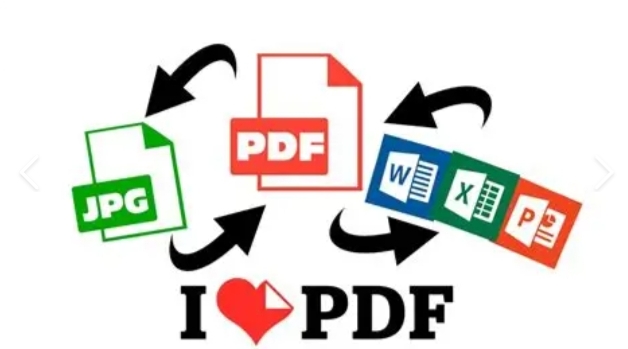
ILovePDF is a versatile, user-friendly online platform that offers a wide range of PDF management features.
From merging PDFs to splitting, compressing, editing, and converting PDFs into other formats, ILovePDF provides solutions that can save you time and make your document management tasks a breeze.
In this article, we’ll explore the various features of ILovePDF, why it’s a favorite among users, and how it can simplify your PDF tasks.
What is ILovePDF?
ILovePDF is an online PDF editing platform that allows users to merge, split, convert, compress, and edit PDF files quickly and easily. It was designed to help users manipulate PDFs without the need to install expensive software or use complicated methods.
Whether you’re working with scanned documents, large files, or trying to extract specific pages, ILovePDF offers an efficient and simple way to perform these tasks.
ILovePDF works directly in your web browser, meaning no download or installation is necessary. It also provides mobile apps for on-the-go use, making it accessible wherever you need it.
Key Features of ILovePDF
Here’s a breakdown of some of the most useful features that make ILovePDF a popular choice for users:
1. Merge PDFs
Combining multiple PDF files into one document is simple with ILovePDF. This feature allows you to merge PDFs effortlessly without any loss of quality. Whether you need to combine reports, presentations, or personal documents, ILovePDF makes the task fast and efficient.
2. Split PDFs
If you have a large PDF file and only need specific pages, ILovePDF lets you split the file into smaller, more manageable sections. This tool allows you to extract specific pages or even range of pages, ensuring that you only work with the content you need.
3. Compress PDFs
Large PDF files can be difficult to email or share online. ILovePDF’s compression feature reduces the file size without compromising the quality of the content. You can choose the level of compression, making it a highly flexible tool.
4. Convert PDFs to Other Formats
One of the standout features of ILovePDF is its ability to convert PDFs into various other file formats. You can easily convert a PDF into Word, PowerPoint, Excel, or image formats (JPG, PNG). This feature is especially useful when you need to edit a document in another format or use the content in a different application.
5. Edit PDFs
ILovePDF provides basic PDF editing tools, including the ability to add text, annotations, shapes, and highlights. You can also draw on PDFs and add comments, making it perfect for collaboration or adding personal notes.
6. Organize PDFs
You can reorder the pages of a PDF with ILovePDF by dragging and dropping pages into your preferred order. This feature makes it easy to create the final version of your document without the need to manipulate files manually.
7. Protect PDFs
If you want to secure your PDF documents, ILovePDF lets you add password protection to your PDFs. This ensures that only authorized users can access or modify your document.
8. OCR (Optical Character Recognition)
For scanned documents or image-based PDFs, ILovePDF offers OCR functionality. This converts scanned images of text into editable, searchable text, allowing you to work with documents that were previously hard to modify.
Why Choose ILovePDF?
While there are many PDF tools available, ILovePDF stands out due to several key factors:
1. User-Friendly Interface
ILovePDF is designed with simplicity in mind. Whether you’re a tech-savvy individual or someone with minimal experience, the platform’s interface is intuitive and easy to navigate. This means you can complete tasks quickly without needing any prior knowledge.
2. No Installation Required
Unlike desktop PDF tools that require installation, ILovePDF works entirely in your browser. This eliminates the need for software downloads and ensures that the platform is always up to date.
3. Free Version Available
ILovePDF offers a free version with many essential features, which makes it a great option for users who don’t want to spend money on PDF software. However, the free version does come with limitations, such as limited file size and fewer features. The premium version offers additional tools and increased limits.
4. Multi-Device Support
In addition to the web version, ILovePDF also provides mobile apps for iOS and Android devices. This ensures that you can manage your PDFs on the go, whether you’re traveling, in a meeting, or just away from your computer.
5. Security and Privacy
ILovePDF takes security seriously. All files uploaded to the platform are processed with high levels of encryption, and the site commits to deleting uploaded documents within a few hours of processing. This ensures that your files are secure and your privacy is protected.
How to Use ILovePDF: A Step-by-Step Guide
Using ILovePDF is incredibly straightforward. Here’s a quick guide to get started:
- Visit the Website: Go to ILovePDF.com.
- Select Your Tool: Choose from the wide variety of PDF tools available, such as “Merge PDF”, “Split PDF”, “Convert to PDF”, etc.
- Upload Your Files: Click the “Select PDF file” button to upload the document(s) you want to work with. You can also drag and drop files directly onto the page.
- Choose Your Options: Depending on the tool you selected, choose the options that best suit your needs (e.g., select pages to merge or split).
- Process and Download: Once your file is ready, you can download the output document or share it directly.
ILovePDF Premium Features
For users who need more advanced features, ILovePDF offers a Premium version, which comes with a range of additional benefits:
- Unlimited access to all tools
- No ads during use
- Larger file size limits
- Higher processing speed
- Priority support
The Premium version can be purchased on a monthly or yearly basis, depending on your needs.
| Name | Links |
|---|---|
| Website | Ilovepdf |
| Status | Working |
| Last Update | Today |
| Cookies 1 | Click Here |
| Cookies 2 | Click Here |
| Buy Personal Account | Chat Admin |
| How to use? | Tutorial |
| Telegram | Just Premium |
Conclusion
ILovePDF is an excellent online tool for anyone who frequently works with PDF documents. It simplifies tasks like merging, splitting, converting, and editing PDFs, all without requiring complex software or technical knowledge. Whether you’re a student, business professional, or anyone else dealing with PDFs regularly, ILovePDF can save you time and effort.
With both free and premium options, it’s accessible for a wide range of users. Plus, with its security measures and ease of use, ILovePDF has rightfully earned its place as one of the best PDF management tools on the market.
So, if you haven’t already, give ILovePDF a try and see how it can streamline your PDF tasks!

How to Work with a Tech Recruiter and Land Your Dream Job

The Best Entry-Level Tech Jobs for Non-Coders (No Experience Needed)

Top Tech Jobs in 2026: Roles, Skills & amp; How to Get Started
How to Work with a Tech Recruiter and Land Your Dream Job
The Best Entry-Level Tech Jobs for Non-Coders (No Experience Needed)
ILovePDF Premium Account Cookies
-
Tech Jobs10 hours ago
How to Work with a Tech Recruiter and Land Your Dream Job
-
Tech Jobs10 hours ago
The Best Entry-Level Tech Jobs for Non-Coders (No Experience Needed)
-
Premium1 day ago
ILovePDF Premium Account Cookies
-
 How to & Tips14 hours ago
Chainlist MetaMask: How To Connect EVM Networks With Ease
-
Tech Jobs10 hours ago
Top Tech Jobs in 2026: Roles, Skills & amp; How to Get Started
-
 How to & Tips1 day ago
How To Send Clear HD Pictures On WhatsApp To Anyone Or Your Status
-
 Udemy Coupon Codes13 hours ago
The Ultimate Filmora Video Editing Course: Beginner to Pro
-
 Premium1 day ago
Coursera Plus Account Cookies